
This quarter’s capabilities deliver more streamlined visual updates, plus build on the AI-driven foundation introduced earlier this year: the MCP server, AI Assistant Suite, and intelligent in-flight data processing.
Read on for a month-by-month glance at new capabilities to help you start, scale, and build with AI, with Redox as your interop partner every step of the way.
September 2026 Release
Dark mode and sidebar navigation updates
Dark Mode gives dashboard users a sleek, easy-on-the-eyes way to work, ideal for evenings, dimly lit rooms, and the upcoming darker winter months.
Stick with the system theme (the default) or switch between light and dark to view the dashboard the way that works best for you.
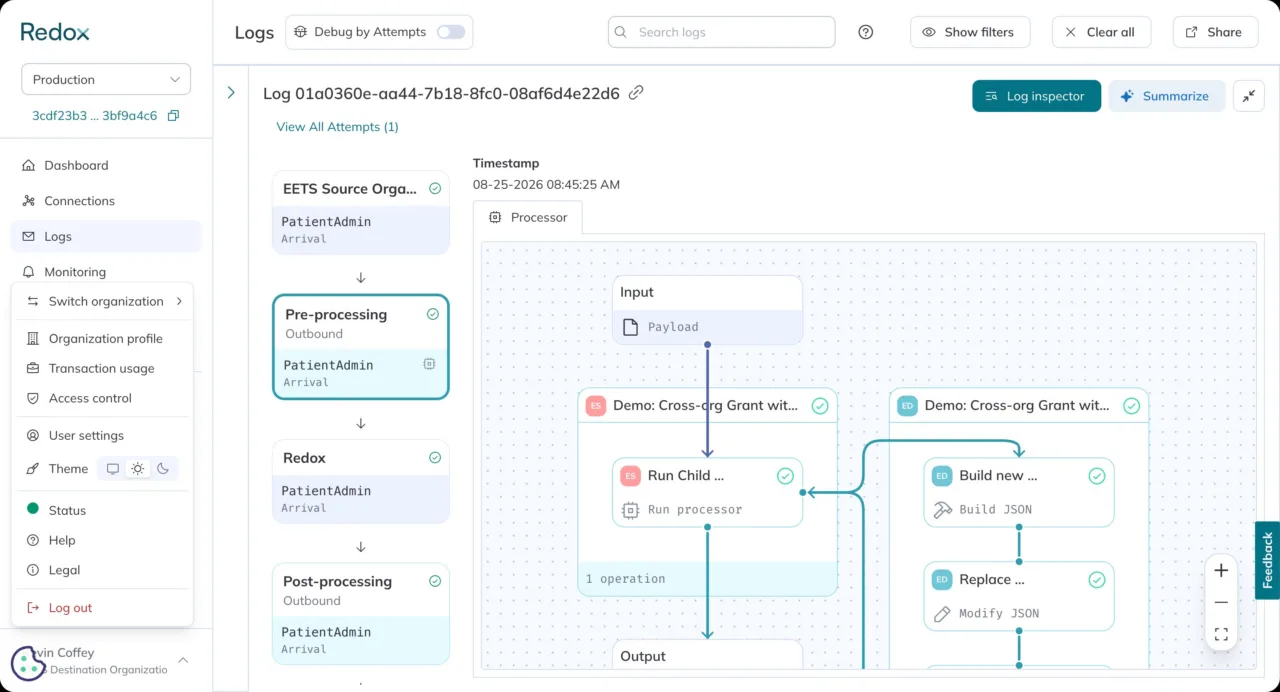
Light theme
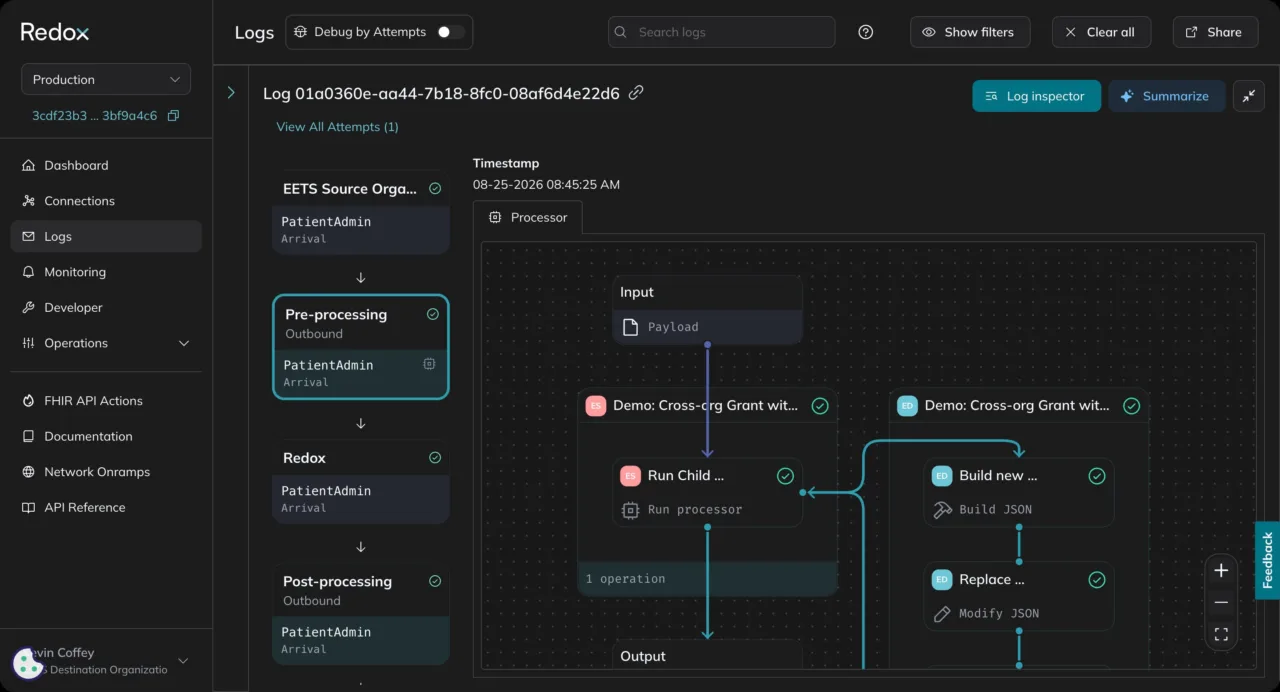
Dark theme
As part of ongoing UI updates, the sidebar navigation has also gotten a refresh for a cleaner, lighter look.
Head into the dashboard to Settings to adjust your theme.
Log in your way: IdP-Initiated SSO
With IdP-Initiated SSO, your team can launch the Redox dashboard directly from an existing identity provider like Okta or Azure — no extra login required. Fast access, right alongside the other tools you use every day.
Now available in open beta (note: SSO configuration required to get started). Reach out to your Redox account team to enable.
August 2026 Release
Improvements to config modifiers
Config modifiers let you transform data as it flows through your integrations without writing custom code for every subscription. This month, we’re shipping three improvements that give you more control over how and when you build that logic, right from the dashboard.
With this release, you can:
- Build before you’re live: Create and test a config modifier using a sample payload—no live traffic required.
- Link once, apply everywhere: Connect a single config modifier across multiple subscriptions instead of duplicating the same logic one by one.
- Set your own order: Control exactly how multiple config modifiers on a subscription run, with a heads-up before any change touches live traffic.
Existing config modifiers keep working as is. No migration needed, and the log inspector path is still available.
All three capabilities are available via the dashboard, Platform API, and MCP server. If AI assistance is enabled — or you want to turn it on — the Config Modifier Assistant can help you write and refine logic for pre-live creation and multi-linking.
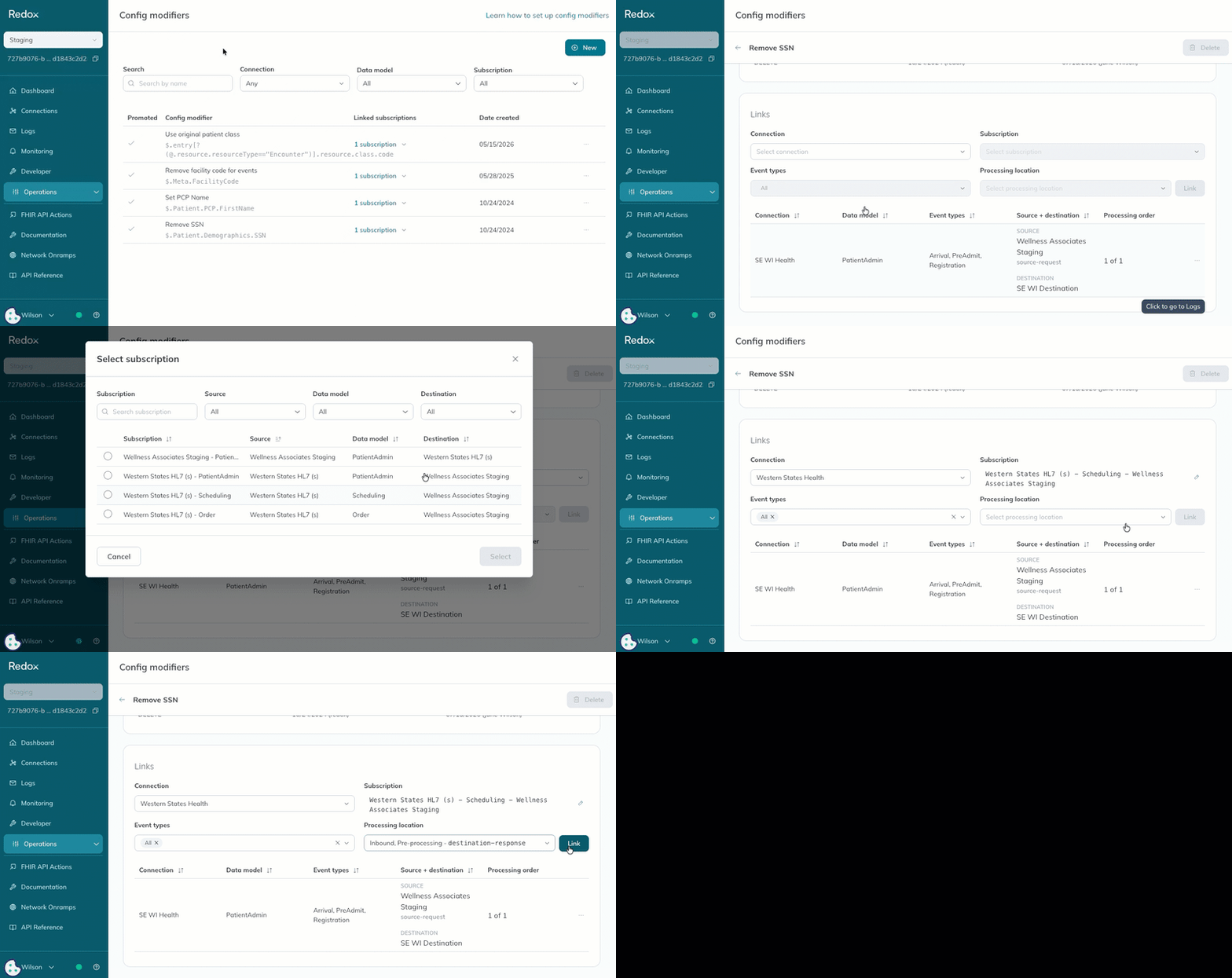
Linking one config modifier across multiple subscriptions
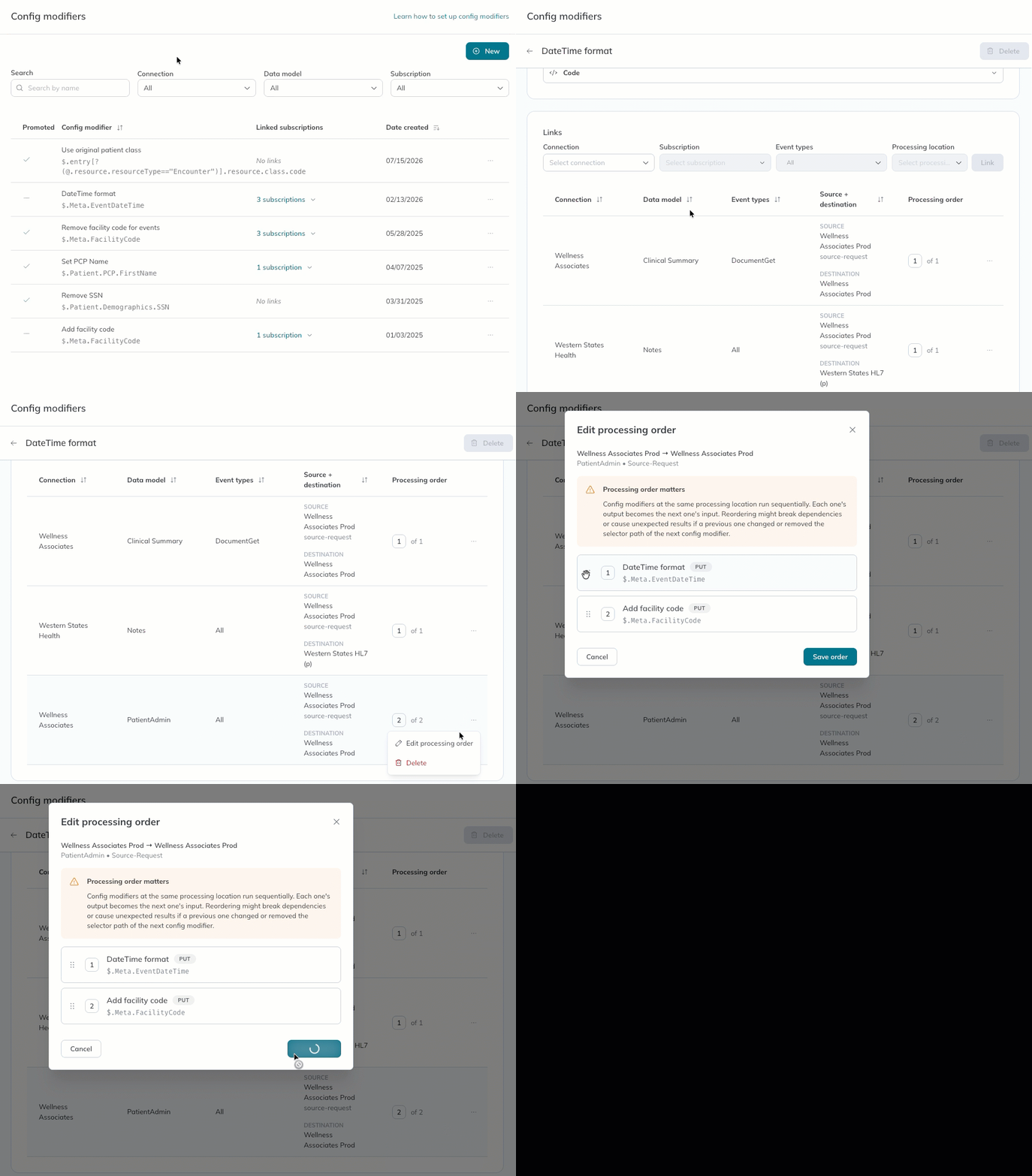
Setting processing order
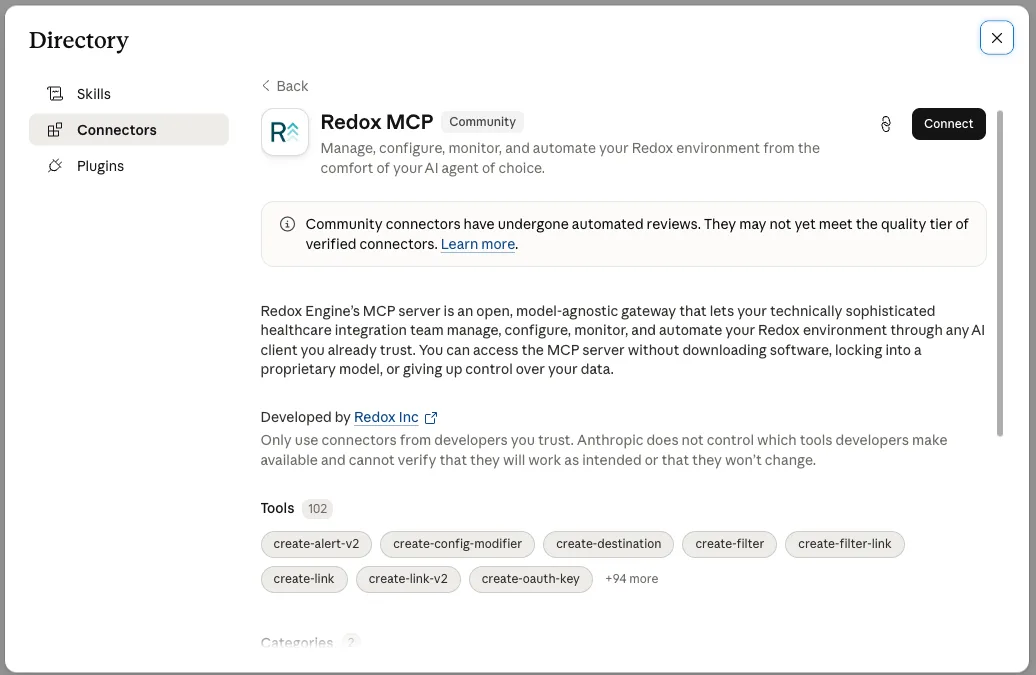
Redox MCP is now available in the Anthropic Connector Marketplace
Redox is now an official Claude connector. Connect Claude to the Redox MCP server in just a few clicks with no manual setup required.
Dashboard experience updates
Now live: a refreshed Developer tab, visual updates to the Monitoring tab, and updates to the Filters and Translations pages under Operations.
Improvements include:
- Authentication now lives on its own page, with every auth type in one central place
- Dev tool downloads have moved to a dedicated page
- Sort your source and destination cards instead of scrolling to find one
- Filters are easier to create and view from the Operations tab
- Translation tables now have a cleaner layout
These layout and navigation updates make your day-to-day easier without impacting functionality.
Check paused queues through MCP
Ask your preferred AI agent to check for paused queues in your organization. Now it will surface paused queues and queue depth in real time, so no more waiting on a manual daily report.

See VPN status through MCP
The Redox MCP server now surfaces VPN tunnel status for your connected organizations. Catch a connectivity issue when it happens, instead of spotting it downstream as a drop in traffic.
July 2026 Release
FHIR Bulk Data Access
Eliminate the overhead of population-scale data extraction across EHRs
Healthcare organizations need to work with clinical data at population scale, but getting this data in bulk is a massive, manual headache. Now you can eliminate the overhead of population-scale data extraction by normalizing Bulk FHIR across the full spectrum of EHRs, regardless of how an individual EHR chooses to implement its bulk data capabilities. Roster management bypasses EHR group-size limits: simply define your roster and group creation is managed on the backend. Unified EHR coverage natively connects to compliant EHRs and automatically simulates the $export workflow for legacy systems.
Learn more here.
MCP server updates: automatic Org ID detection, plus tool annotations
No more hunting down and entering Org ID numbers for every request. The MCP server now automatically detects your connected organizations so you can get straight to work. If you’re connected to a single organization, it’s identified automatically with no setup required. Managing multiple organizations? Just type the organization’s name, or let the server show you a list to choose from.
Every tool on the MCP server also now includes clear annotations showing exactly what it does, and whether it reads data, writes data, or both. Developers and technical teams can build agentic workflows with more confidence, knowing upfront how each tool behaves before it executes.
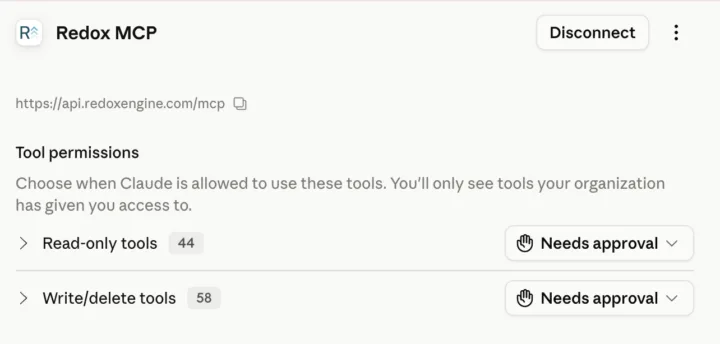
Find your Org Owner in seconds, right in the dashboard
Wondering who can enable AI tools for your organization? The dashboard now surfaces role and ownership information directly, making it easy to see who holds Org Owner permissions, so you always know who to go to for organization-level settings.
Head to Users > Access Control > Organization Role to see your org owners.
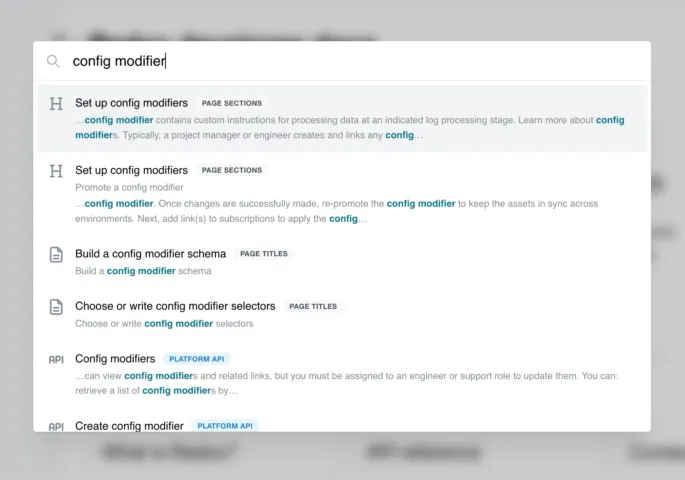
Dev docs search just got a lot smarter
Finding what you need is now easier than ever with more intelligent, intuitive dev docs search.